

AMERICAN FLAGS EXPRESS / PURCHASING HELP
Tax-Exempt Purchasing
Made Easy
See Your Options ↓ Common QuestionsBefore you begin
Choose What Works for You
We keep your tax-exemption information on file with either option.
Option 1 — Quick & EasyGuest checkout · No registration needed
- Order
- Email Certificate
- We Adjust the Tax
Option 2 — Set Up Once, Shop AnytimeOnline account · Tax-exempt checkout when signed in
- Register
- Email Certificate
- We Update Your Account
Why does my guest checkout total include sales tax?
The checkout total includes tax at first, but this amount is only a temporary authorization hold—not your final charge. For eligible tax-exempt orders, we remove the tax before charging your card and email your updated order details.
Step-by-Step Help
Guest Checkout — View the 3 Steps & Screenshots
Guest Checkout / No registration required
Follow these steps during checkout.
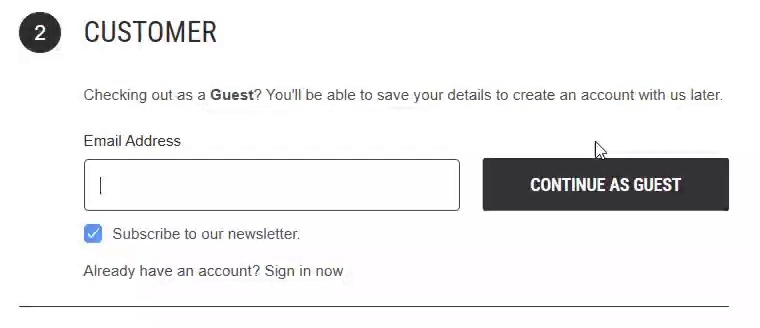
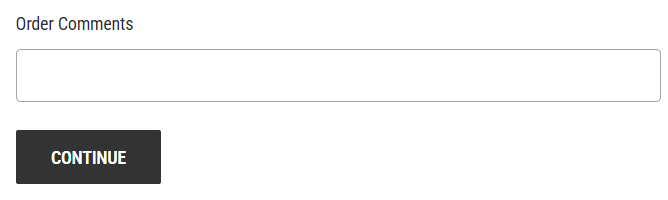
STEP 3 — After you place your order
- Complete your order
- Reply to your confirmation email Attach your tax-exemption certificate.
- Watch for our updated order details
For eligible orders, no sales tax is charged to your card!
Online Account — View Setup Steps & Email Request
Online Account / Easier future checkout
A little setup now means you can shop tax-exempt directly online next time.
Which email address? Use the email you want to sign in with. If we create the account for you, tell us which email to use. Other staff can still contact us about orders or payment.
Need Us to Create or Update Your Account?
Click below, fill out the email with your information, attach your tax-exemption certificate, and send it.
Open Tax-Exempt Request EmailButton not working? Email karen@flagsexpress.com with the subject AFE TAX-EXEMPT ACCOUNT REQUEST and your certificate attached.
See the information to include in your email
Organization name and type, mailing address, exemption number (if applicable), contact name and phone, email address for online login, and whether you need a new account or an update.
More Questions? Estimates, Purchase Orders & Schools
Helpful answers
Purchasing Questions
Need an Estimate?
Send us the products or SKUs, quantities, and shipping address.
Contact our team →Do You Accept Purchase Orders?
We can reference your PO number on an order or estimate. Payment is required before shipping unless terms have been approved.
Purchasing for a School?
Schools may purchase with Net 30 terms. During checkout, under Payment, select Check. We’ll review and process your order. Please send any applicable tax-exemption documentation.
Need a Hand? We're Here to Help.
Friendly support from our Wisconsin team.
Tax-exemption eligibility depends on the purchaser and applicable rules. Please do not send credit-card information or passwords by email.